
Product Check
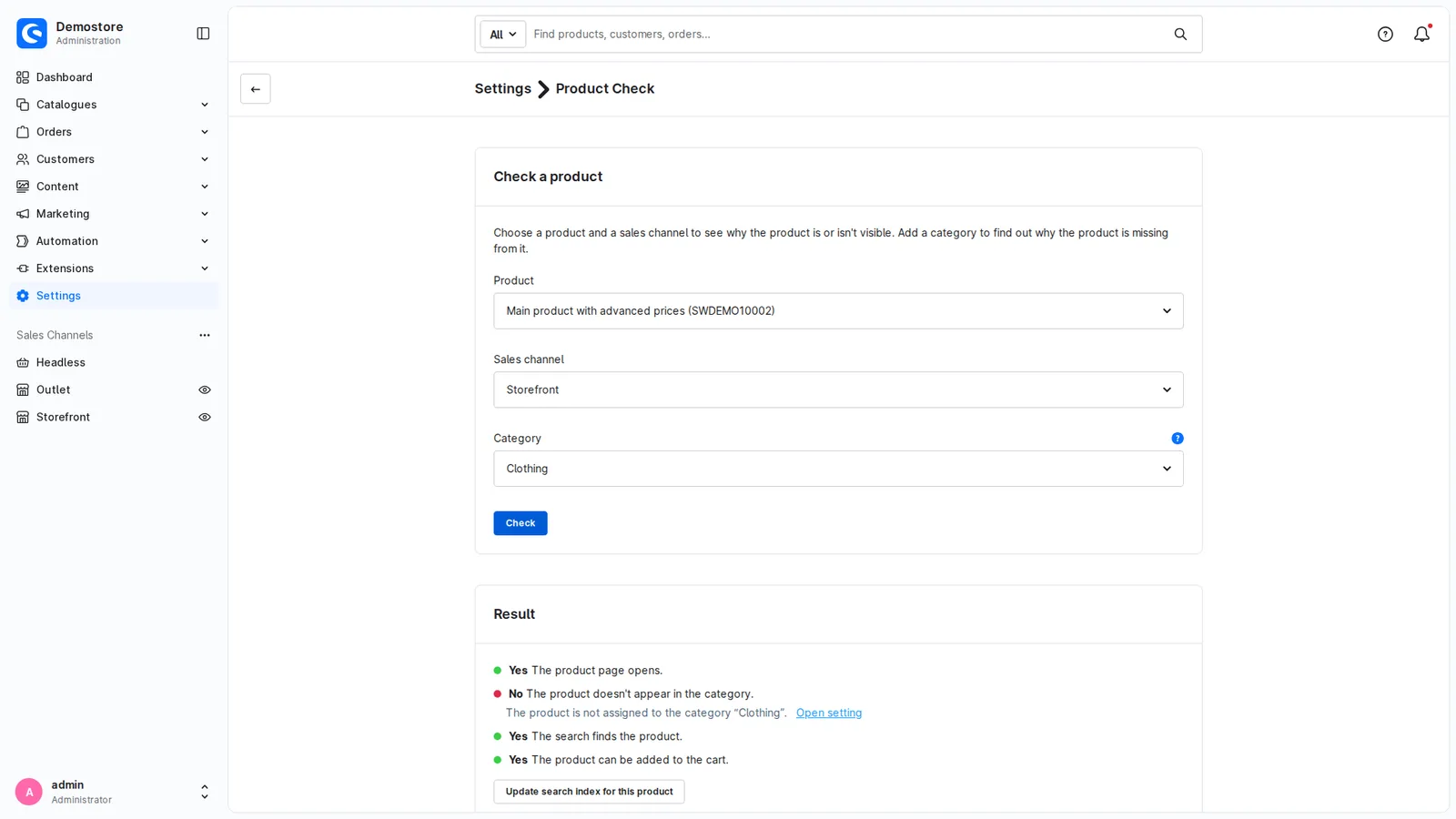
Why can't customers see or buy a product? The answer, right on the product page – with a link to the setting that fixes it.
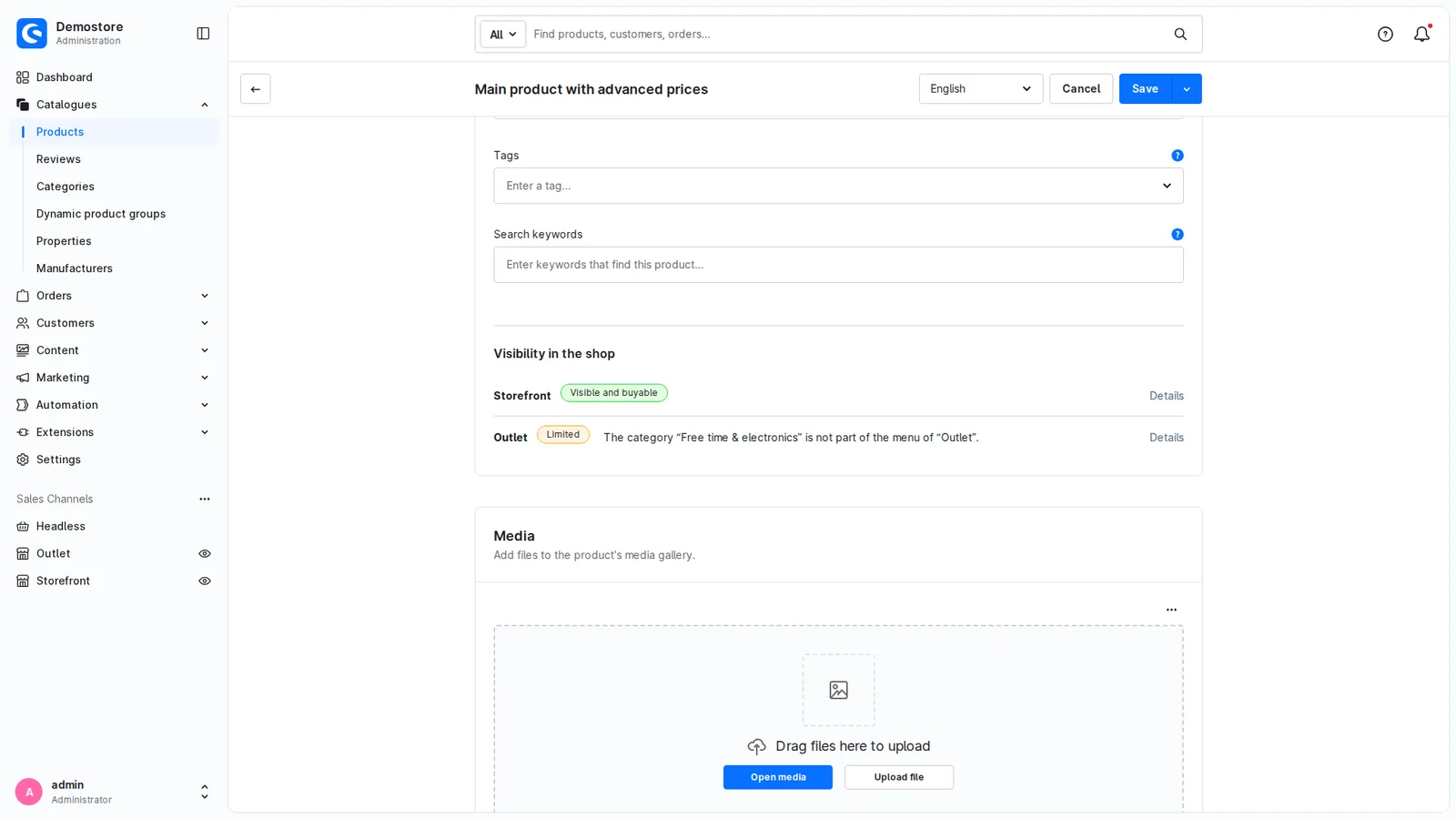
On the product page
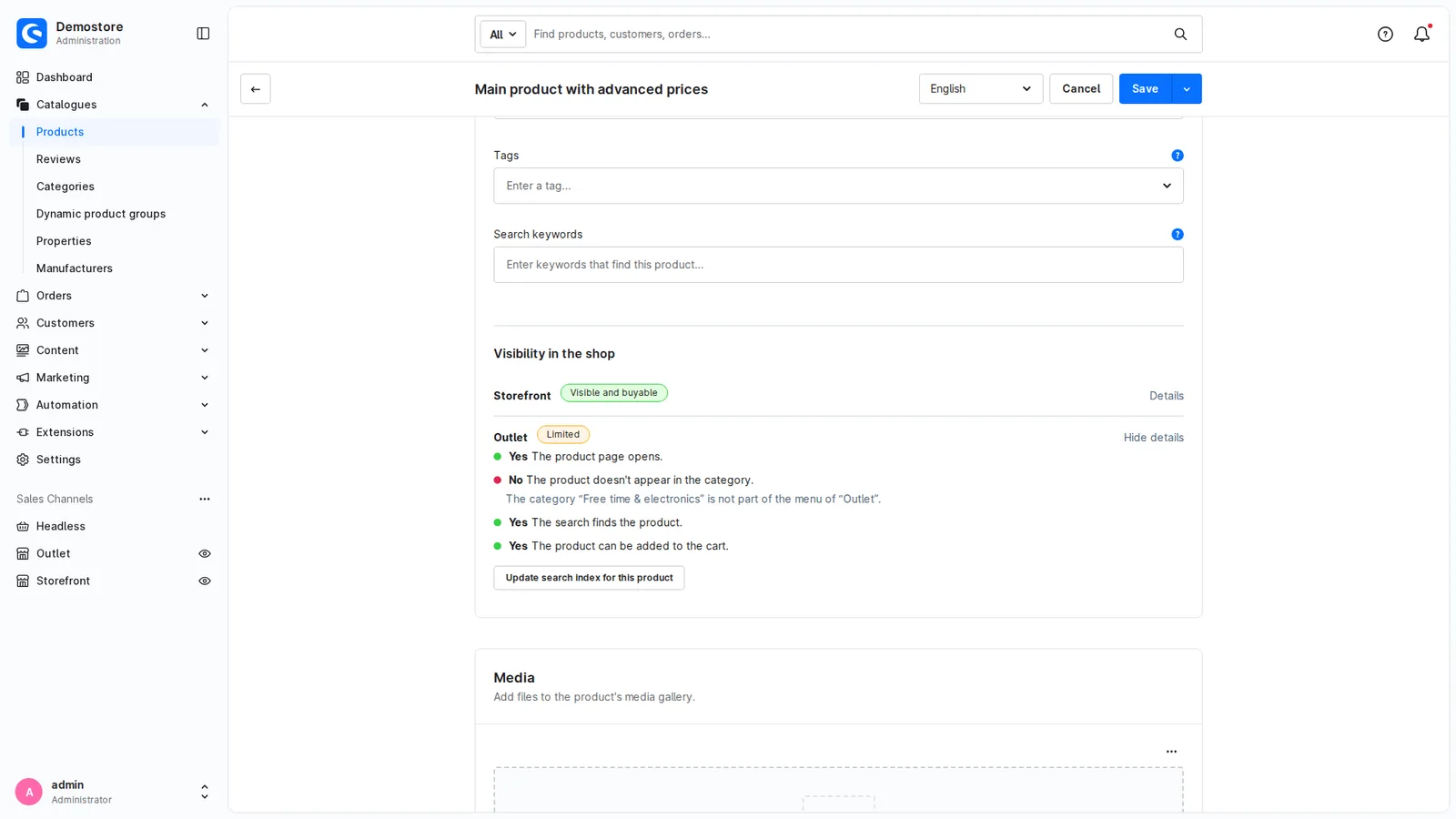
The card "Visibility in the shop" shows for every sales channel whether the product is visible and buyable. If it isn't, the reason is right next to it in one sentence, for example "The category is not part of the menu of this sales channel".
The answer comes from your shop
Product Check asks your shop directly: does the product page open, does the product appear in the category, does the search find it, can it be added to the cart? That way it also notices when another extension hides the product.
What is checked
Product and variants active, visibility in the sales channel, categories and the sales channel's menu, dynamic product groups, stock, close-out and minimum purchase, release date, price in the sales channel's currency, variant settings, search keywords and search index.
Your shop stays as it is
Product Check reads and doesn't change any settings. On request, it updates the search index for one product. No data is stored and no external services are used. Its own permission decides which roles can use it.
Requirements
- Shopware 6.4.20 to 6.7
- Administration in German, English, French, Dutch or Spanish
Kurz auf Deutsch
Der Produkt-Check zeigt direkt auf der Produktseite der Administration, ob ein Produkt in jedem Verkaufskanal sichtbar und kaufbar ist – und wenn nicht, warum, mit einem Link zur passenden Einstellung. Er fragt den Shop selbst und erkennt so auch, wenn eine andere Erweiterung das Produkt ausblendet. Er ändert keine Einstellungen und speichert keine Daten.
Support
Write to info@k-thx.net, in German or English. Please include your Shopware version, the plugin version, the product number and sales channel, and what Product Check shows compared with what you see in the shop.